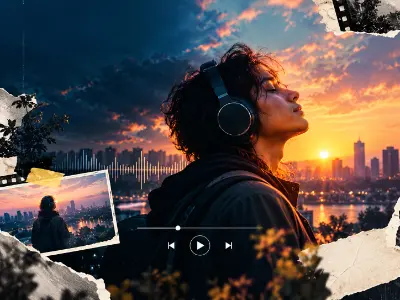
Lyrical Music Video
Create a lyrical music video using synchronized typography, music, visual effects, transitions, and motion animation.

Motion graphics and visual effects are in growing demand across advertising, social media, film, gaming and digital marketing. This course builds practical skills in motion graphics, animation, compositing and VFX, helping you create polished videos, dynamic visuals and professional content for real-world projects, freelance work and creative jobs.
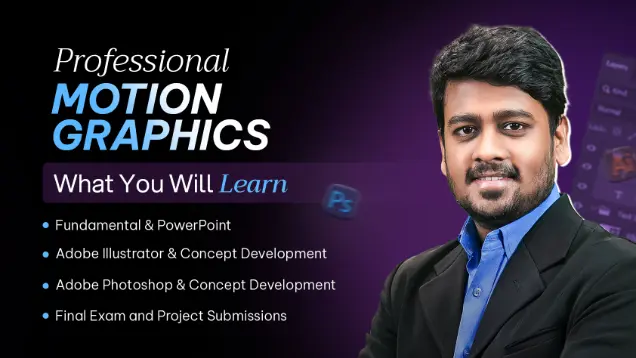


Essential Graphic Preparation, Clean Asset Creation, Smart Design Workflow, and Ready-to-Animate Visuals. Build your creative motion mindset with the fundamentals of animation and visual storytelling. Learn to structure ideas through dynamic movement, timing, and composition to create impactful motion visuals and engaging stories.
| CLASS | TOPIC | TYPE |
|---|---|---|
| Class 1 | Fundamental of Motion Graphics | Theory |
| Class 2 | Photoshop Image Retouch, Path Mode, Clipping Path, Pen tool | Theory |
| Class 3 | Transforming Objects, Offset Path Dialogue Box, Shape Builder Tool, Pathfinder Operation, Environment Illustration | Recorded |
Graphic Designer (Entry-Level)
Master vector illustration and branding with Adobe Illustrator. Learn Pen Tool precision, logo design, marketing materials, product packaging, and print-ready artwork—building skills for creative jobs and freelance projects.
| CLASS | TOPIC | TYPE |
|---|---|---|
| Class 1 | Introducing After Effects, Workplace, Preference, Panel, Project, Tools, Composition, Basic Transform Animation, Keyframe Basic | Lab |
| Class 2 | Keyframe Details, Advance Timeline, Trim, Split, Layer and Composition, Simple Motion Using objects | Recorded |
| Class 3 | AI file Import, City illustration animation, Render | Lab |
| Class 4 | Pendulum Animation using Advance keyframe, Wall clock animation, | Lab |
| Class 5 | Shape (Add), Shape Customization Using (Add) Option, Offset Path, Repeater, Trim Path | Lab |
| Class 6 | Introducing Effects and Presets, Solid Layer, Adjustment Layer, Effects and Presets Panel, Apply Effects and Customize | Theory |
| Class 7 | Basic Customize Effects, Text Effects Details, Text Effects Customization (Animate) | Lab |
| Class 8 | Pre-Composition and Layer Sequence, Layer Masking & Alpha Masking, Music & Lyrics Understand, Custom Effect Apply, Lyrical Typography Project | Theory |
| Class 9 | Text Motion, 3D Layer, Null Layer, Layer Parent, Kinetic Motion Techniques | Online |
| Class 10 | Text Motion, 3D Layer, Null Layer, Layer Parent, Kinetic Motion Techniques | Lab |
| Class 11 | Design in After Effects, Collect Logo, Text, Images, Convert into GIF, Google AdWords GIF | Lab |
| Class 12 | Basic Animated Infographics Animation | Theory |
| Class 13 | Custom Path Motion, Icon Animation | Online |
| Class 14 | Importance of Logo Intro, Different Type of Logo Animation, Motion Path and Matte Techniques, 3D Layer Controller, Logo Animation | Online |
| Class 15 | Importance of Logo Intro, Different Type of Logo Animation, Motion Path and Matte Techniques, 3D Layer Controller, Logo Animation | Lab |
| Class 16 | Logo Motion Concept, 3D Layer and Camera Projection, Complete Advance | Recorded |
| Class 17 | Logo Motion Concept, 3D Layer and Camera Projection, Complete Advance Logo Animation, Advance Logo Animation with Saber plugin | Lab |
| Class 18 | Slideshow video, Real Estate Slideshow, Event Promo Video, Motion Bro Plugin, Slideshow and Promo Video | Recorded |
| Class 19 | RTFX install and apply in a short project | Recorded |
| Class 20 | Short Video Ads. (Social Media Ads), Facebook, YouTube, LinkedIn, Snap Chat | Online |
| Class 21 | Short Video Ads. (Social Media Ads), Facebook, YouTube, LinkedIn, Snap Chat | Lab |
| Class 22 | 50, 90, 120 Sec, Animated Promotional Video, Brand Video Promotional | Online |
| Class 23 | 50, 90, 120 Sec, Animated Promotional Video, Brand Video Promotional | Lab |
| Class 24 | Fiverr Guideline, Fiverr Rules | Theory |
| Class 25 | Fiverr account Create, Fiverr GIG Create | Theory |
| Class 26 | YouTube Channel Create, Video Upload, Marketing Tips | Theory |
| Class 27 | After Effects Compositing, 3D Book Composition, Mockup Project | Recorded |
| Class 28 | After Effects Compositing, 3D Book Composition, Mockup Project | Lab |
| Class 29 | How to use Toolkit in a explainer project | Recorded |
| Class 30 | Transition Effects and Controller, Complete Explainer Motion Elements | Theory |
| Class 31 | Scene & Composition Management, Sound FX and Background Music | Theory |
| Class 32 | App UI promo details With Figma | Recorded |
| Class 33 | Mobile App UI Explainer, Brand Video Promotional | Lab |
| Class 34 | Interface Overview, Layer & Texture, Basic Animation, Motion with Element 3D plugin & pro shaders V.2 | Lab |
| Class 35 | 3D Logo Animation, Composition & Render | Online |
| Class 36 | 3D Logo Animation, Composition & Render | Lab |
| Class 37 | AI (Cinematic Intro, Advertisement) | Online |
| Class 38 | AI (Cinematic Intro, Advertisement) | Lab |
| Class 39 | Web promo video making | Lab |
| Class 40 | Job and client searching with LinkedIn | Lab |
Junior Motion Graphic Designer, Motion Graphic Designer, Logo & Brand Animation Specialist, Video & Promotional Designer, Compositing & 3D Motion Specialist, AI & Cinematic Video Creator, Freelance
Premiere Pro Workspace, Timeline & Compositing, Effects & Color Correction, Transitions & Reels, Animated CV & Portfolio Projects. Learn the art of video editing, compositing, and motion design with Adobe Premiere Pro. This segment combines technical skills with practical projects like reels, transitions, and portfolio creation for real-world freelancing readiness.
| CLASS | TOPIC | TYPE |
|---|---|---|
| Class 1 | Introducing Premier Pro, Project, Tools Panel and Workplace, Sequence, Timeline, Complete Compositing | Theory |
| Class 2 | Dynamic Link with After Effects, Effects and Color Correction, Audio Effects and Filters | Lab |
| Class 3 | Transition, Reel, Car Intro Animation | Online |
| Class 4 | Transition, Reel, Car Intro Animation | Lab |
| Class 5 | Animated CV making information details | Online |
| Class 6 | Animated CV making | Theory |
| Class 7 | Motion Portfolio ( Behence/ Dribble) | Lab |
| Class 8 | Details discussion about final project and presentation | Online |
| Class 9 | Course Final Exam | Lab |
Video Editor, Motion Graphics Editor, Reel & Social Media Content Creator, Portfolio & Promotional Video Specialist
Verify your mobile number to see every module.
Enter the 6-digit OTP sent to
Share your details and our team will reserve your seat in an upcoming free class of Professional Motion Graphics & VFX.
Every project is portfolio-grade and presented with mockups, the way a client would receive it.
Create a lyrical music video using synchronized typography, music, visual effects, transitions, and motion animation.
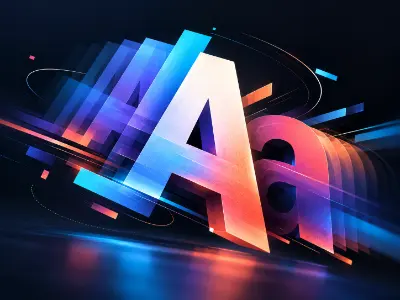
Create dynamic typography animations using text movement, timing, transitions, and visual effects to communicate a message effectively.

Design a short animated GIF advertisement for Google AdWords using brand elements, images, typography, and motion graphics.

Transform static icons into engaging animated graphics using shape animation, path animation, timing, and visual effects.

Transform a static logo into a professional animated logo using logo reveals, motion paths, masks, mattes, and visual effects.
Create an energetic logo animation for gaming or streaming brands using dynamic motion, lighting, and visual effects.
Create a professional slideshow and promotional video using images, typography, transitions, music, and motion effects.
Create short-form animated advertisements suitable for Facebook, YouTube, LinkedIn, and other digital platforms.
Create an animated promotional video that highlights a product’s features and benefits using motion graphics, typography, transitions, and product visuals.
Create a 3D book promotional video using 3D modeling, realistic camera movement, animation, lighting, and presentation techniques.
Create an engaging explainer animation using animated scenes, visual storytelling, typography, transitions, and motion graphics to communicate complex information clearly.
Create a promotional animation showcasing a mobile application’s user interface, features, and functionality through engaging motion graphics.
Create a professional 3D logo animation using Element 3D, including 3D materials, lighting, camera movement, and animation.
Develop an advanced 3D logo animation using Element 3D with detailed 3D scenes, materials, lighting, camera animation, and rendering techniques.
Create a cinematic 3D intro using AI-generated visuals, motion graphics, compositing, cinematic effects, and animation techniques.
Create a modern promotional animation for a website, digital product, or online service using motion graphics and visual storytelling.
Create a professional slideshow animation using images, transitions, effects, typography, music, and editing techniques.
Create a professional animated intro for a brand, video, or personal project using logos, typography, transitions, and visual effects.
Create an animated CV that presents professional information, skills, experience, and portfolio work through motion graphics and visual storytelling.
more practical projects across the course modules.
Free consultation & path planning
Enrol, orientation & kick-off
4 month, 51 classes begin
Theory, lab & AI workflows
27 client-grade builds
Viva, exam & course certificate
CV, interview & portfolio polish
Placement referral or freelance
From social media content and brand campaigns to advertising, film and streaming, motion and VFX skills are in demand across the creative industry. With a strong showreel, you can join studios and agencies, take on freelance projects, or build your own creative career.
"Lab support and mentor feedback were excellent. The portfolio I built here helped me get my first paid work."
"The Computer Networking with CCNA course was practical from day one. The mentors explained everything clearly and the projects helped me build real confidence."
"Lab support and mentor feedback were excellent. The portfolio I built here helped me get my first paid work."
"The Video Editing with Premiere Pro course was practical from day one. The mentors explained everything clearly and the projects helped me build real confidence."
"Lab support and mentor feedback were excellent. The portfolio I built here helped me get my first paid work."
"The 3D Modeling & Rendering with Blender course was practical from day one. The mentors explained everything clearly and the projects helped me build real confidence."
"Lab support and mentor feedback were excellent. The portfolio I built here helped me get my first paid work."
"The Digital Marketing Professional course was practical from day one. The mentors explained everything clearly and the projects helped me build real confidence."
To enroll at Creative IT Institute, choose your preferred course and enroll online or in person at your nearest campus. If needed, our counsellors can help you pick the course that suits you best.
Our counsellors will help you choose the right course based on your interests and career goals.
Our courses run online, offline and in a hybrid format that combines both, so students can learn in the way that suits them.
Yes, you get direct support and guidance from experienced mentors throughout the course.
Yes. Creative IT Institute is ISO 9001 certified and issues a course certificate after you complete your assessments and projects.

Master End-to-End UX/UI, Product Design, AI & Design Systems
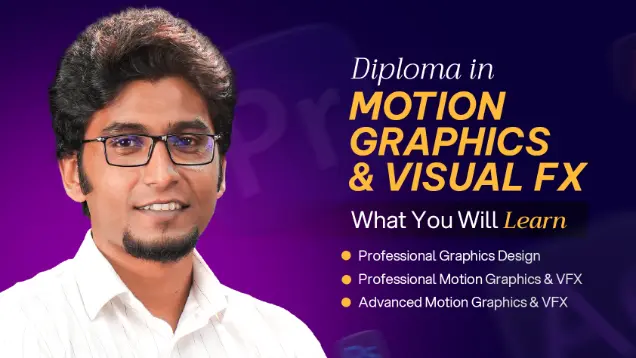
Learn motion graphics, animation, compositing, and VFX through hands-on creative projects.

Master End-to-End UX/UI, Product Strategy & AI-Powered Design
Share your details and our team will reserve your seat in an upcoming free class of Professional Motion Graphics & VFX.
Fill in the form to reserve your seat in a free class.
Fill in the form and we'll send you access details.
Fill in the form to book your seat.
Fill in the form and an advisor will call you within one working day.