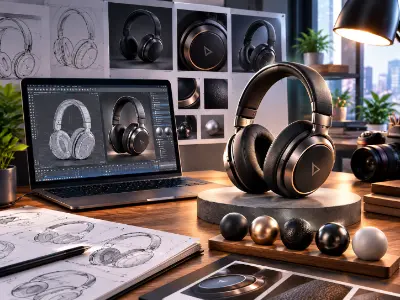
Product Rendering Project
Create a professional 3D product model with realistic materials, lighting, camera composition, and high-quality rendering.

The demand for skilled 3D animation professionals is growing across gaming, film, advertising and digital media. This 12-month diploma prepares students for opportunities in this expanding creative industry. Through hands-on projects, students develop expertise in 3D modeling, animation, lighting, texturing and storytelling. They build a professional portfolio, gain industry-ready skills, opportunities and develop practical experience. The program helps students prepare for careers in animation, gaming for future growth in the creative industry.


Making a story, understanding story board, and visual structuring using PowerPoint.
| CLASS | TOPIC | TYPE |
|---|---|---|
| Class 1 | Understanding CGI Industry Pipe Line Working Process | Theory |
| Class 2 | Story Building and Story Boarding | Recorded |
3D Animator . Storyboard Artist
Mastering 3D Modeling, UV Mapping, and Rigging in Autodesk Maya.
| CLASS | TOPIC | TYPE |
|---|---|---|
| Class 1 | Software Installation | Recorded |
| Class 2 | Introduction to Maya | Lab |
| Class 3 | Polygonal Modeling Concepts | Lab |
| Class 4 | Subdivision & Edge Loop Theory | Lab |
| Class 5 | Vertex & Edge Operations | Lab |
| Class 6 | Bevel & Boolean Operations | Lab |
| Class 7 | Nonlinear Deformers & Material Basics | Online |
| Class 8 | Research, Reference & Hard Surface Modeling | Lab |
| Class 9 | Hard Surface Modeling | Recorded |
| Class 10 | UV Mapping Fundamentals | Lab |
| Class 11 | UV Snapshot & Texturing in Photoshop | Recorded |
| Class 12 | Advanced UV Mapping Techniques | Online |
| Class 13 | Key-shot: 01- Introduction | Recorded |
| Class 14 | Key-shot: 02 - Product Render | Recorded |
| Class 15 | Key-shot: 03 - Product Animation | Recorded |
| Class 16 | Introduction to Organic Modeling – Character Anatomy | Online |
| Class 17 | Body Modeling | Lab |
| Class 18 | Character Modeling (Female Body) | Recorded |
| Class 19 | Character Male Face Modeling | Theory |
| Class 20 | Character Female Face Modeling | Recorded |
| Class 21 | Character Props Modeling | Theory |
| Class 22 | Female Props Modeling | Recorded |
| Class 23 | Character Hair Modeling | Theory |
| Class 24 | Character Female Hair Modeling | Recorded |
| Class 25 | Character UV Mapping | Recorded |
| Class 26 | Rig:1 Parent-Child relationship, Constrain, Controller, Hand Rig | Lab |
| Class 27 | Rig:2 Model prepare, Body rigging with Advanced skeleton | Theory |
| Class 28 | Rig:3 Face Rig with Advanced Skeleton | Theory |
| Class 29 | Rig:4 Mechanical rig | Recorded |
| Class 30 | Maya Final Exam | Lab |
Character Artist . Rig Artist . Texture Artist . Game Asset Artist
Mastering digital sculpting fundamentals and advanced modeling workflows in ZBrush.
| CLASS | TOPIC | TYPE |
|---|---|---|
| Class 1 | Software and plugin installation | Recorded |
| Class 2 | Introduction to ZBrush | Lab |
| Class 3 | High-Resolution Sculpting Techniques | Theory |
| Class 4 | High-Resolution Sculpting Techniques (Recorded) | Recorded |
| Class 5 | Z Brush Gaming Workflow | Theory |
| Class 6 | Game Asset Detailing | Recorded |
| Class 7 | Topology and ZRemesher | Recorded |
Character Artist . 3D Modeler . Digital Sculptor
Mastering texturing and material creation for 3D assets using Substance Painter.
| CLASS | TOPIC | TYPE |
|---|---|---|
| Class 1 | What is Texturing | Recorded |
| Class 2 | Software and plugin installation | Recorded |
| Class 3 | Introduction to Substance Painter | Lab |
| Class 4 | Advanced Material Creation in Substance Painter | Lab |
| Class 5 | Game Asset Texture | Online |
| Class 6 | Exporting Textures & Integration Workflow | Recorded |
| Class 7 | Character Texture | Lab |
Texture Artist . 3D Generalist
Mastering Lighting and rendering for 3D assets using Vray.
| CLASS | TOPIC | TYPE |
|---|---|---|
| Class 1 | Understanding V-ray | Recorded |
| Class 2 | Vray Lighting | Lab |
| Class 3 | Exterior Lighting | Theory |
Lighting And render Artist
Portfolio building and marketing on Fiverr.
| CLASS | TOPIC | TYPE |
|---|---|---|
| Class 1 | Online market place (Fiverr) | Online |
| Class 2 | Gig Opening | Online |
Freelancer . 3D Generalist
Mastering Character and Camera Animation using 12 principles of animation.
| CLASS | TOPIC | TYPE |
|---|---|---|
| Class 1 | 12 principles of animation Introduction | Lab |
| Class 2 | Ball animation, Graph editor, Bouncing ball | Lab |
| Class 3 | Animation Principles Practical Application | Lab |
| Class 4 | Constrain Animation, Camera Animation | Lab |
| Class 5 | Walk Cycle Animation | Lab |
| Class 6 | Run Cycle Animation | Online |
| Class 7 | Product Animation | Lab |
| Class 8 | Action Animation using image sequence (Blocking) | Lab |
| Class 9 | Action Animation using image sequence (Spline) | Online |
| Class 10 | Time Editor, Bake Animation, Animation Render | Lab |
| Class 11 | Post Production | Lab |
Animator . 3D Character Animator
Mastering 3D Polygonal Modeling, Product Visualization, and Fluid/Smoke Simulation using Blender.
| CLASS | TOPIC | TYPE |
|---|---|---|
| Class 1 | Introduction Of Blender, Interface, Viewport, Camera Focus | Lab |
| Class 2 | Understanding Project Window, Polygonal Modeling, Gizmos, Shade Smooth/Flat | Lab |
| Class 3 | Subdivision, Knife, Loop Cut Tool | Theory |
| Class 4 | Extrude, Bevel, Combined, Extract Faces / Split | Lab |
| Class 5 | Merge Vertex, Target Weld, Bridge, Detach, Chamfer | Theory |
| Class 6 | Proportional Editing, Modifiers, Boolean, Subdivision Surface | Theory |
| Class 7 | Nonlinear, Lattice, Symmetry, Shader editor, Texture connecting | Lab |
| Class 8 | Product 01: Switch GameCube Controller project | Theory |
| Class 9 | Product 02: Go pro camera project | Theory |
| Class 10 | Animation Basics, Graph editor, Camera Animation, Motion trail | Lab |
| Class 11 | Problem solving class 01 | Online |
| Class 12 | Natural environment making, Vegetation plugin, Scattering with Geo node | Lab |
| Class 13 | Product modeling | Recorded |
| Class 14 | Indoor product visualization, Coffee machine animation | Lab |
| Class 15 | Product Lighting, Light animation, Explode animation | Theory |
| Class 16 | Problem solving class 02 | Online |
| Class 17 | Introduction to Simulation (Domain, Flow, Collider, Smoke, Water) | Theory |
| Class 18 | Effector, Splash Simulator, Crown Splash simulator | Lab |
| Class 19 | Simulation | Recorded |
| Class 20 | Path along liquid simulator, Product visualization simulation, Export Methods | Lab |
| Class 21 | Exam Mcq | Lab |
Product Visualization Artist . 3D Generalist . 3D Motion Designer
Mastering the 12 Principles of Animation by applying them to foundational locomotion exercises in Maya.
| CLASS | TOPIC | TYPE |
|---|---|---|
| Class 1 | 12 Principals of Animation Theory & Breakdown | Lab |
| Class 2 | Animation Explain | Online |
| Class 3 | Animation Tools & Interface in MAYA, Graph Editor, Bouncing Ball | Lab |
| Class 4 | Constrain Animation | Recorded |
| Class 5 | Walk Cycle | Lab |
| Class 6 | Run Cycle | Lab |
| Class 7 | Image sequence | Online |
| Class 8 | Action animation | Lab |
| Class 9 | Time Editor And animation Export | Lab |
Entry-level 3D Character Animator . Game Animator
Using Unreal Engine 5 as a real-time platform to create high-quality cinematic videos and environment design.
| CLASS | TOPIC | TYPE |
|---|---|---|
| Class 1 | Introduction & Project Setup: Getting Started with Unreal Engine 5 | Lab |
| Class 2 | Importing Assets from Maya: Exporting FBX (Character + Animation) | Lab |
| Class 3 | Import settings for skeletal mesh & animation, Material setup, Playback test | Online |
| Class 4 | Environment Design Basics: Quixel Megascans, Landscape creation | Lab |
| Class 5 | Lighting & Atmosphere: Directional Light, Sky Light, HDRI, Post Process | Theory |
| Class 6 | Volumetric Fog, Sky Atmosphere, Time of day mood lighting | Online |
| Class 7 | Material & Texture Integration: Material Editor, Instances, Decals | Theory |
| Class 8 | Camera Setup & Sequencer Basics: CineCameraActor, Focal length | Theory |
| Class 9 | Animation & Sequencer Editing: Character Animation & Scene Timing | Theory |
| Class 10 | Adding animated character to Sequencer, Managing playback & looping | Online |
| Class 11 | Rendering & Movie Render Queue: Render pass export, Color grading | Theory |
| Class 12 | Sound & VFX Integration: Niagara particle system, Audio timing | Theory |
| Class 13 | Final Output & Presentation: Final Cinematic Assembly | Theory |
| Class 14 | Export, Final Sequencer editing, Exporting full cinematic video | Online |
| Class 15 | Compositing | Lab |
Virtual Production Specialist . Lighting Artist . Real-Time Artist
Build your creative mindset with the fundamentals of design and communication. Learn to structure ideas visually using PowerPoint for impactful presentations and storytelling.
| CLASS | TOPIC | TYPE |
|---|---|---|
| Class 1 | Fundamental of Graphic Design | Theory |
| Class 2 | Introducing with Microsoft PowerPoint | Theory |
| Class 3 | Interactive PowerPoint Presentation | Lab |
| Class 4 | Fundamental Exam (MCQ & Presentation) | Theory |
Junior Presentation Designer, Creative Assistant
Master vector-based illustration and branding with Adobe Illustrator. From pen tool precision to professional logo design and print-ready artwork, this module prepares you for both creative jobs and freelance projects.
| CLASS | TOPIC | TYPE |
|---|---|---|
| Class 1 | Introducing Adobe Illustrator | Lab |
| Class 2 | Transformation Details | Recorded |
| Class 3 | Pen Tool, Line Art Illustration etc. | Lab |
| Class 4 | Align, Distribute, Shape Mode, Pathfinder, Stroke etc | Online |
| Class 5 | Working with Text & Image, Custom Lettering etc. | Theory |
| Class 6 | Working with Blend, Effect, Paint Brush etc. and Business Card | Recorded |
| Class 7 | Business Card & Simple Logo | Lab |
| Class 8 | Stationery Design Theory | Recorded |
| Class 9 | Stationery Design & Canva Template Editing | Lab |
| Class 10 | Color Studies, Concept Development & Thank You Card Design | Recorded |
| Class 11 | Marketing Material (Flyer) | Recorded |
| Class 12 | Marketing Material (Flyer) & Canva Party Flyer Editing | Lab |
| Class 13 | Analyzing Design & Understanding Graphic Design Principles | Recorded |
| Class 14 | Marketing Material (Brochure) | Recorded |
| Class 15 | Marketing Material (Brochure) & Canva Food Menu Brochure Editing | Theory |
| Class 16 | www.freelancer.com | Online |
| Class 17 | Marketplace : 01 www.freelancer.com (Live Project) | Theory |
| Class 18 | Logo Design, Part: 01 | Theory |
| Class 19 | Logo Design, Part: 02 (Golden Ratio) & Logo Design using AI (Nano Banana / Ideogram) | Lab |
| Class 20 | Logo Design, Part: 03 (Typography) | Recorded |
| Class 21 | Marketing Material (Calendar & Food Menu) | Lab |
| Class 22 | Marketing Material (PVC Banner) | Recorded |
| Class 23 | Product Packaging, Label Design & Using pacdora.com | Online |
| Class 24 | Product Packaging, Label Design & Using diecuttemplates.com | Lab |
| Class 25 | Print On Demand (POD) Design | Lab |
| Class 26 | ChatGPT, Gemini, Ideogram, Leonardo, Recraft etc. | Theory |
| Class 27 | Portfolio and Pre-Press Setup | Online |
| Class 28 | Marketplace : 02 www.shutterstock.com (Live Project) | Theory |
| Class 29 | Illustrator Final Exam | Theory |
Graphic Designer, Brand Identity Designer, Illustrator, Print Designer, Freelance Vector Artist
Learn the art of photo editing, manipulation, and creative compositing with Adobe Photoshop. This segment combines technical skills with marketplace-based practical projects for real-world freelancing readiness.
| CLASS | TOPIC | TYPE |
|---|---|---|
| Class 1 | Introducing Adobe Photoshop | Lab |
| Class 2 | Selection Tool Details & Brush | Recorded |
| Class 3 | Image Retouch with www.fotor.com & Nano Banana | Lab |
| Class 4 | Pen Tool & Type Tool | Theory |
| Class 5 | Marketplace : 03 (1st Part) www.fiverr.com | Online |
| Class 6 | Image Manipulation (01) | Online |
| Class 7 | Image Manipulation (02) | Lab |
| Class 8 | Social Media Post Design (English) & Canva Template Editing | Recorded |
| Class 9 | Social Media Post Design (Bangla) | Lab |
| Class 10 | YouTube Thumbnail | Lab |
| Class 11 | Listing Image and A⁺ Content Design | Online |
| Class 12 | A⁺ Content Design (Freelancer Live Contest) | Lab |
| Class 13 | Animated Banner Design | Lab |
| Class 14 | Marketplace : 04 www.upwork.com | Online |
| Class 15 | Book Cover Design | Lab |
| Class 16 | Canva AI Using | Recorded |
| Class 17 | Canva AI Project (Party Flyer Design) | Online |
| Class 18 | Marketplace : 05 www.templatemonster.com | Theory |
| Class 19 | Course Final Exam | Theory |
Photo Editor, Digital Designer, Visual Content Creator, Freelance Photoshop Expert
Share your details and our team will reserve your seat in an upcoming free class of Diploma in 3D Animation.
Every project is portfolio-grade and presented with mockups, the way a client would receive it.
Create a professional 3D product model with realistic materials, lighting, camera composition, and high-quality rendering.
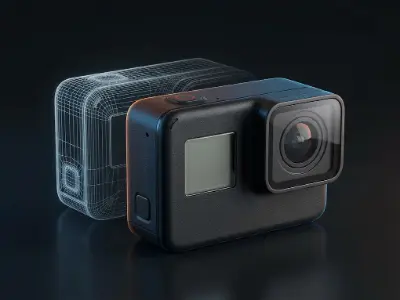
Develop a 3D product animation using keyframes, camera movements, and animation principles to present the product professionally.
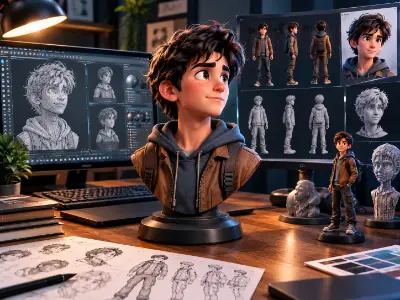
Model a 3D character by developing body proportions, facial features, hair, and character accessories.
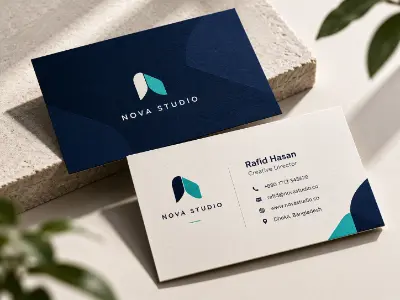
Design a professional business card with typography, color, logo placement, and a balanced layout.
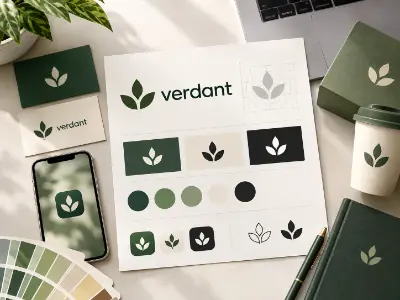
Develop a simple logo concept using Adobe Illustrator, basic shapes, typography, and design principles.
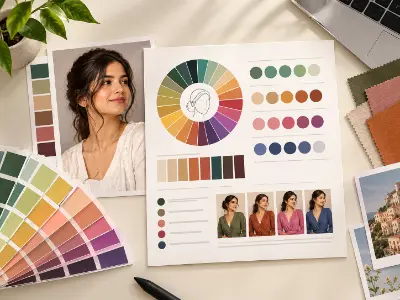
Prepare a visual report analyzing color combinations, color harmony, contrast, and their use in graphic design.
Create a functional character rig using controllers, constraints, and body rigging techniques for animation.
Apply textures and materials to a 3D character using Substance Painter to achieve a detailed and realistic appearance.
Create a game-ready 3D asset using modeling, topology, detailing, UV mapping, and texturing techniques.
Animate a bouncing ball using timing, spacing, squash and stretch, and the Graph Editor.
Create a complete character walk cycle with proper body movement, balance, timing, and foot placement.
Develop a dynamic character run cycle using animation principles and appropriate movement timing.
Produce an action animation using image-sequence references, blocking, spline refinement, and character movement.
Model and present a Nintendo GameCube-style controller using polygonal modeling, beveling, and material techniques.
Create a detailed 3D action camera model and prepare it for product visualization and rendering.
Design an indoor product visualization scene featuring a coffee machine, lighting, camera animation, and product presentation.
Build a natural or cinematic environment using landscape tools, vegetation, assets, and environment composition.
Import animated assets from Maya, create a cinematic environment, set up lighting and cameras, and render a final cinematic video.
Create simulation effects such as smoke, water, splashes, and liquid movement for 3D visualization.
Create a professional presentation using structured layouts, visual elements, transitions, and animation.
Create branded stationery materials with consistent colors, typography, and visual identity.
Design an attractive promotional flyer for a product, service, event, or business.
Create a visually appealing thank-you card using color studies, concept development, typography, and layout techniques.
Design a professional brochure or food menu with organized information, suitable typography, images, and branding.
Develop a logo concept by exploring visual ideas, composition, shapes, and typography in Adobe Illustrator.
Create a functional and visually organized calendar using typography, grid alignment, and graphic elements.
Develop original artwork suitable for print-on-demand products, preparing the design for mockup presentation.
Prepare and present a graphic design asset for a stock marketplace workflow, following the class's Shutterstock live-project topic.
Prepare a graphic design service or portfolio presentation aligned with the Upwork marketplace workflow.
Design a professional book cover using image selection, typography, composition, and mockup presentation.
more practical projects across the course modules.
Free consultation & path planning
Enrol, orientation & kick-off
4 month, 51 classes begin
Theory, lab & AI workflows
27 client-grade builds
Viva, exam & course certificate
CV, interview & portfolio polish
Placement referral or freelance
Build a professional career in the animation and gaming industry by developing advanced skills in 3D animation, character modeling, rigging, lighting, and rendering using industry-standard tools like Autodesk Maya and Unreal Engine.
"Lab support and mentor feedback were excellent. The portfolio I built here helped me get my first paid work."
"The Computer Networking with CCNA course was practical from day one. The mentors explained everything clearly and the projects helped me build real confidence."
"Lab support and mentor feedback were excellent. The portfolio I built here helped me get my first paid work."
"The Video Editing with Premiere Pro course was practical from day one. The mentors explained everything clearly and the projects helped me build real confidence."
"Lab support and mentor feedback were excellent. The portfolio I built here helped me get my first paid work."
"The 3D Modeling & Rendering with Blender course was practical from day one. The mentors explained everything clearly and the projects helped me build real confidence."
"Lab support and mentor feedback were excellent. The portfolio I built here helped me get my first paid work."
"The Digital Marketing Professional course was practical from day one. The mentors explained everything clearly and the projects helped me build real confidence."
To enroll at Creative IT Institute, choose your preferred course and enroll online or in person at your nearest campus. If needed, our counsellors can help you pick the course that suits you best.
Our counsellors will help you choose the right course based on your interests and career goals.
Our courses run online, offline and in a hybrid format that combines both, so students can learn in the way that suits them.
Yes, you get direct support and guidance from experienced mentors throughout the course.
Yes. Creative IT Institute is ISO 9001 certified and issues a course certificate after you complete your assessments and projects.
Master Interior and Exterior design through practical projects and industry-focused training.
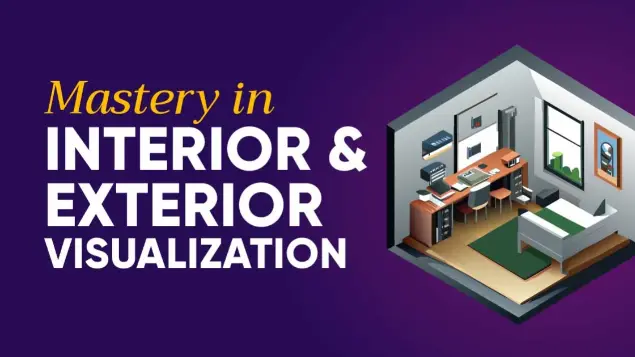
Master professional interior & exterior visualization

Master 3D animation for careers in gaming, advertising, film, and immersive experiences.
Share your details and our team will reserve your seat in an upcoming free class of Diploma in 3D Animation.
Fill in the form to reserve your seat in a free class.
Fill in the form to book your seat.
Fill in the form and an advisor will call you within one working day.
Fill in the form and an advisor will call you within one working day with the best discount available for this course.